

Using the Digital Signature Dashboard
Open Signatures from the sidebar to track requests and find documents that need your signature.
Find a request
- Choose Personal or Team, according to the requests you need and the access available to you.
- Check the date range; the dashboard can initially show Last 90 days.
- Use Search, Filters, or a status card to narrow the list.
- Review the Name, Status, Sent by, and Sent columns.
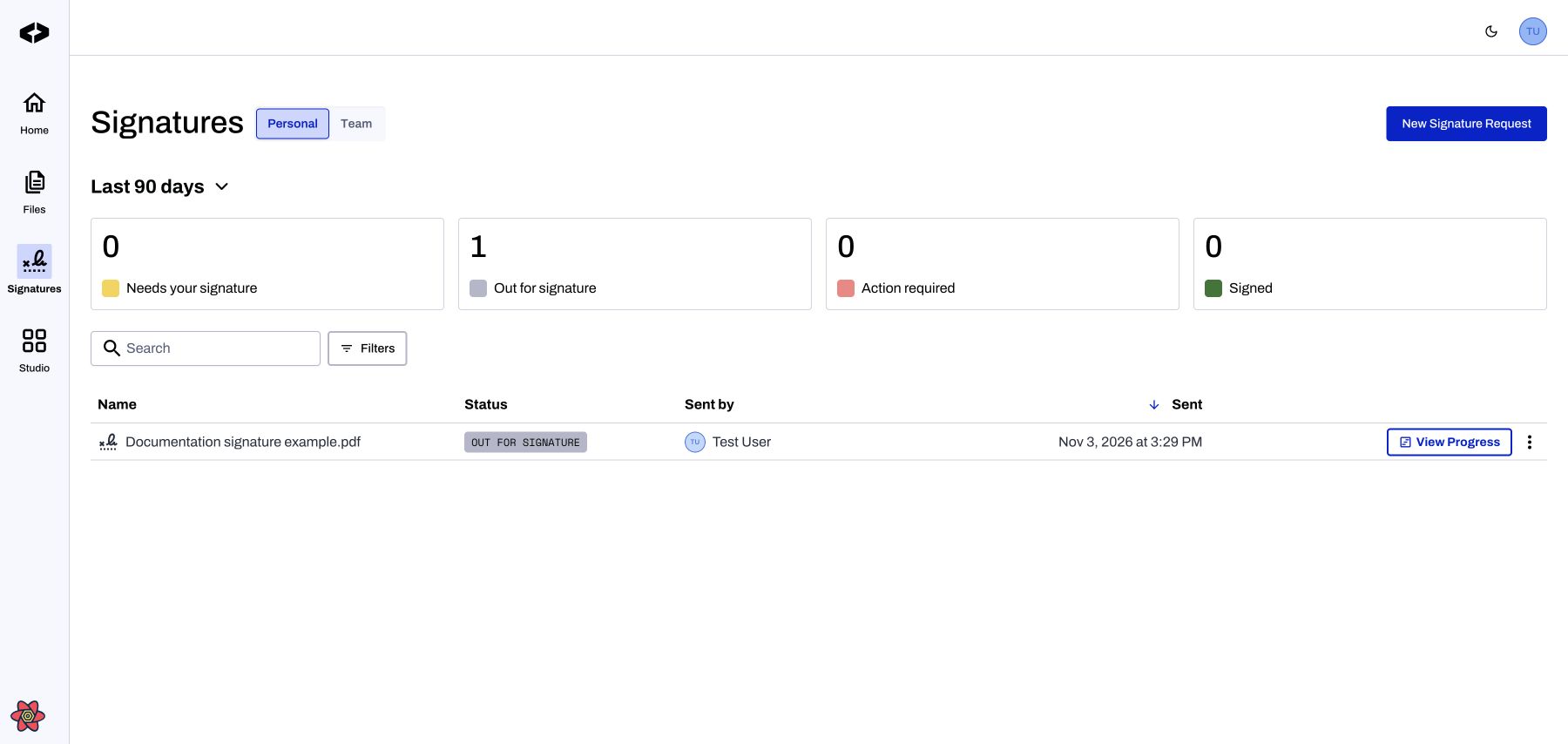
Signatures dashboard with a locally created request — local demonstration using production code and fictional example data.
Check progress and take action
Click View Progress on a request to open its details and signer progress. The row action changes with the request's status; requests awaiting your signature can offer a signing action instead.
The … menu offers actions appropriate to the request and your permissions, such as Details, History, Download, or Cancel. Not every action is available for every request.
Use New Signature Request to start a request.
Updated 11 days ago
Did this page help you?