

Using workflows
A workflow combines templates, destinations, and input mappings to generate documents. Manage workflows in Studio.
Workflow types
| Type | How it starts |
|---|---|
| API | An API call supplies the input and launches the workflow. |
| Fillable Form | A user fills out the form in Inkit. |
| Public Form | When enabled, a person opens a published link or QR code to enter details and sign their own copy. |
Workflow creation in Studio is available on the Enterprise plan and requires appropriate access. Public Form is separately controlled by rollout availability.
Building a workflow
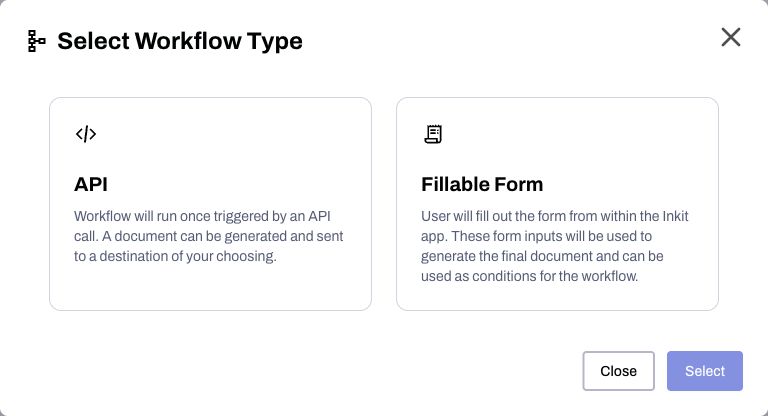
Open the menu beside New in Studio and select Workflow. Choose a type in Select Workflow Type, then click Select.
The builder guides you through these steps:
| Step | Purpose |
|---|---|
| Workflow Details | Set the workflow name and description. |
| Packet Builder | Select and arrange the templates for the output. |
| Destinations | Configure where the output goes. |
| Mapping | Map the input fields used by the workflow. |
| Forms | Configure the form experience as applicable to the workflow type. |
Use Next after completing each step and Finish to create the workflow. When editing an existing workflow, the final action is Save.
Continue with Creating workflows, Editing workflows, and Filtering workflows.
Updated 11 days ago
Did this page help you?