

Adding Digital Signature blocks to a PDF template
- Create a PDF template, or open one from Studio.
- Open Signatures in the editor toolbar, then click Add Signers.
- Enter a Signer Role, such as
Reviewer. Use Add Signer for additional roles, and Set signer order if needed. - Return to Signatures and select the intended signer from the signer menu.
- Drag Signature, Initials, or other available fields onto the document. Position and resize each field, and review its properties.
- Repeat for each signer and click Save.
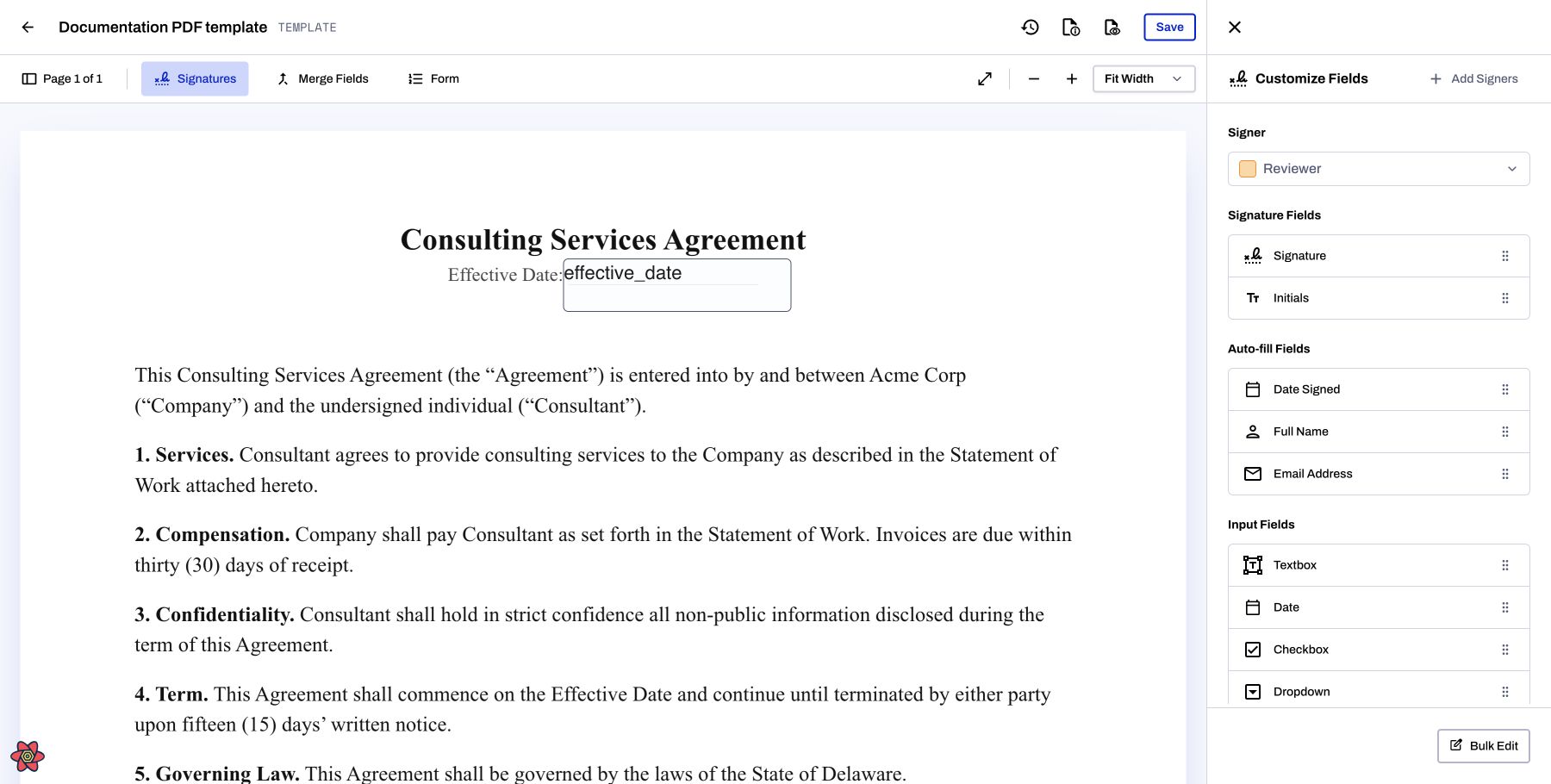
Current PDF signature palette with a Reviewer role. Local demonstration using production application code and test data.
The palette separates Signature Fields, Auto-fill Fields, and Input Fields. Available field types depend on configuration. Assign recipient identities when sending the request or configuring the workflow's signature mappings.
Updated 10 days ago
Did this page help you?