

Accessing the Certificate of Completion
After a document has been signed, you can download a certificate of completion for your records.
To download the certificate:
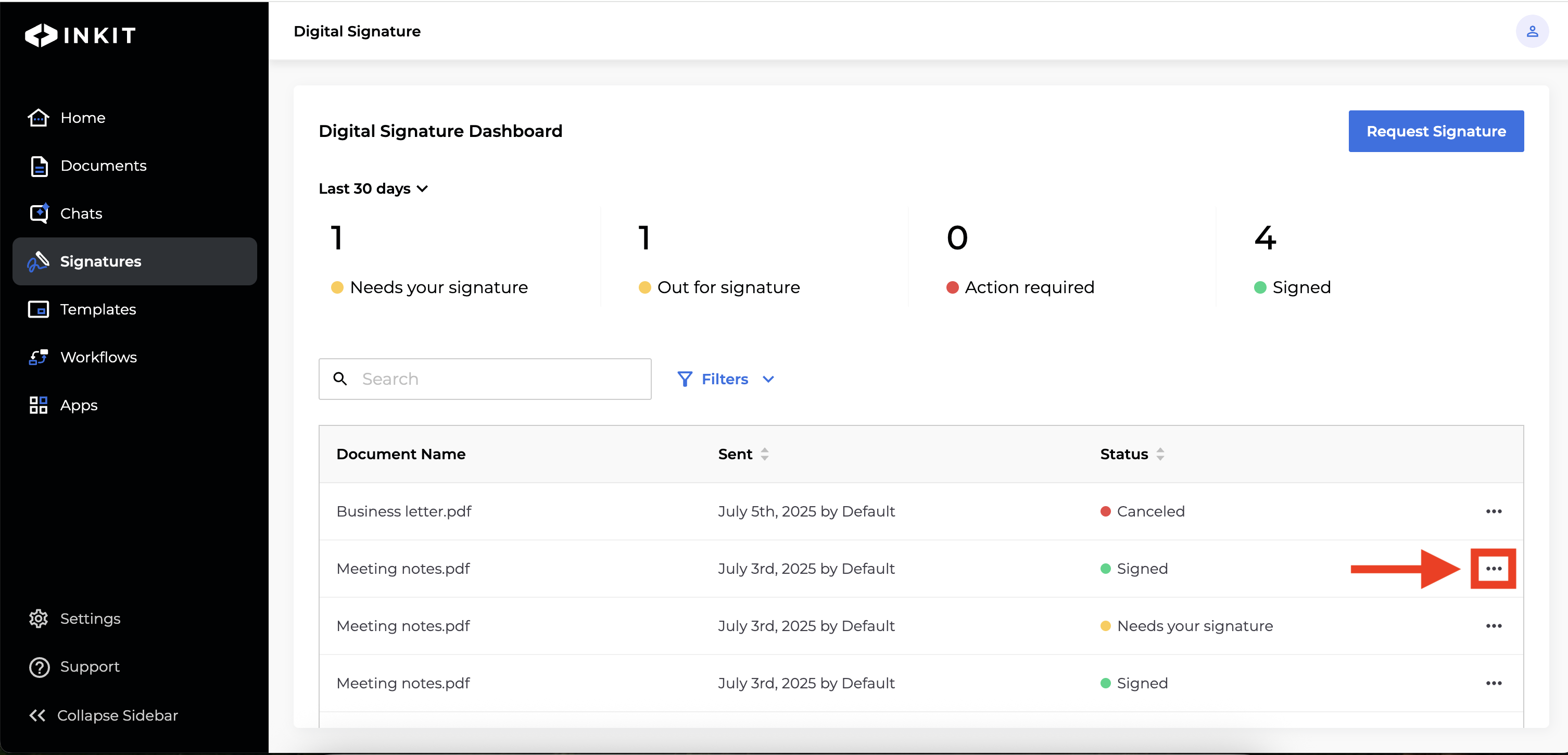
Open the Digital Signature Dashboard and locate the Signed document you want to view. Click the three dots (•••).
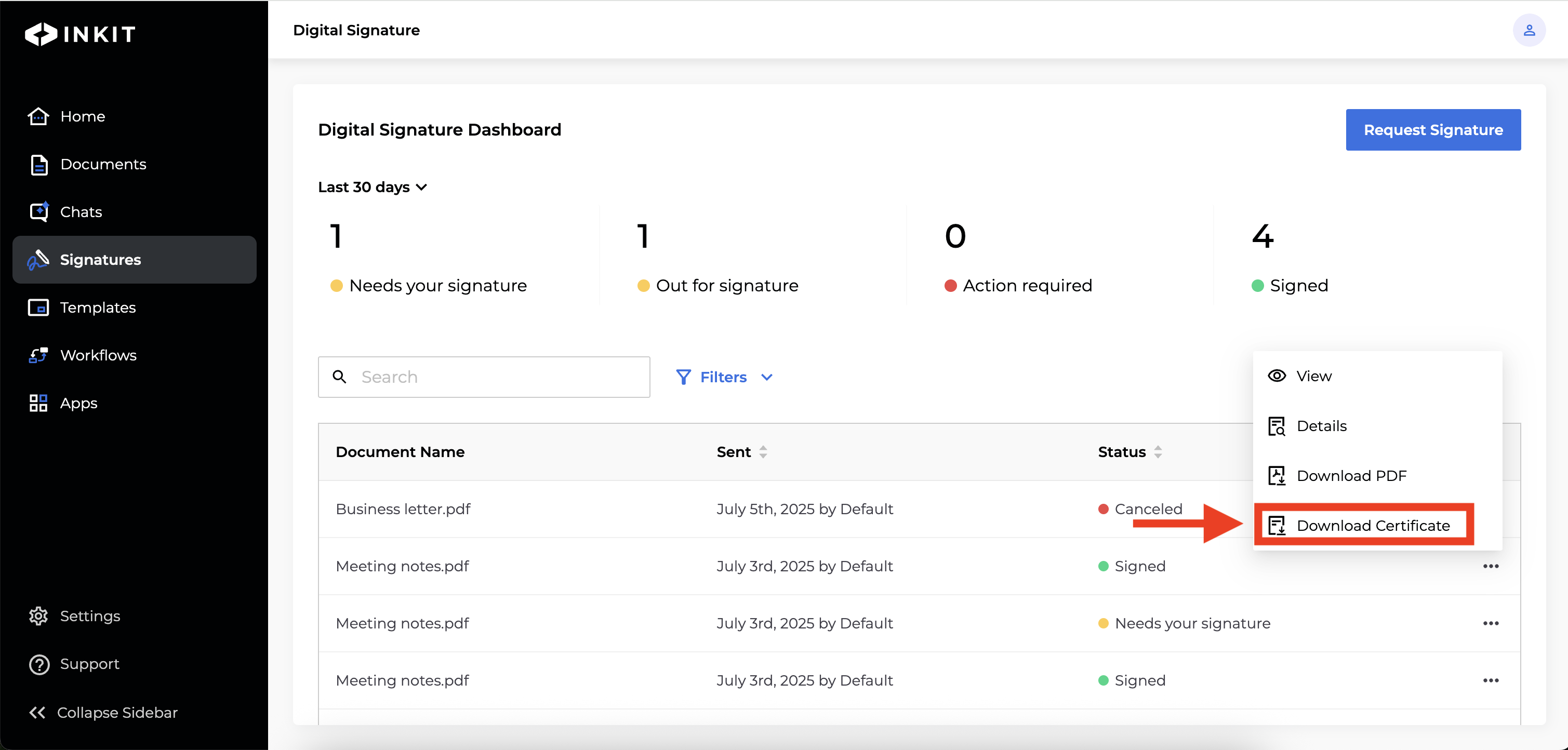
Select Download Certificate of Completion. The certificate will be downloaded as a PDF file to your device.
The Certificate of Completion includes timestamps, signers’ full names and email addresses, IP addresses, and other audit details.
Updated about 1 year ago
Did this page help you?