

Sending reminders to signers
Gently remind recipients to sign their documents if they haven’t already.
Send a reminder from the request's signer details when the recipient has not completed their action and the reminder control is available.
- Open Signatures and find the request.
- Click View Progress, or … → Details, and find the recipient in Signers.
- Click Send Reminder.
- Verify the recipient's Name and Email, then review the subject and message shown in the dialog.
- Click Send, or Close to dismiss without sending.
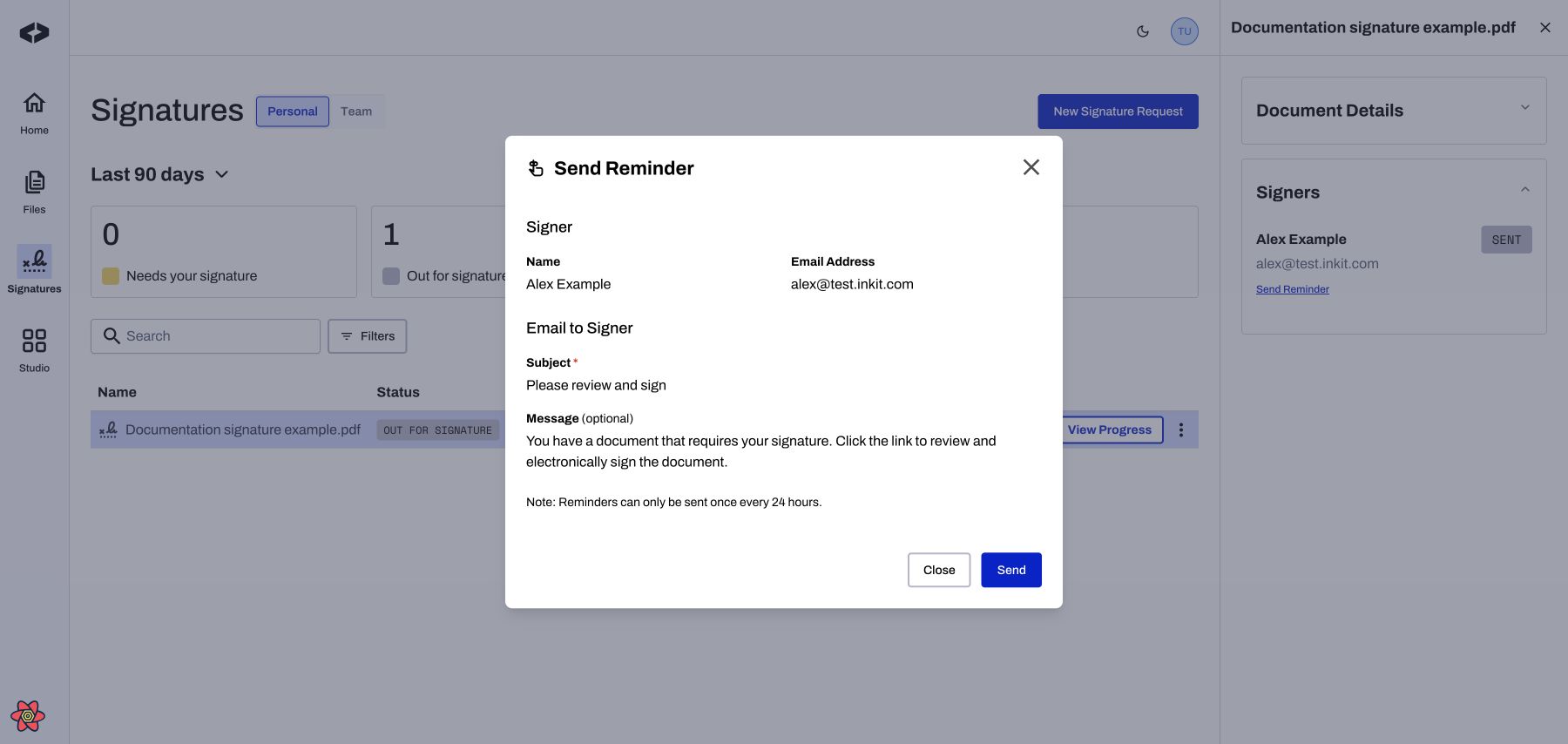
Send Reminder confirmation; reminder was not submitted — local demonstration using production code and fictional example data.
The reminder dialog states that reminders can be sent once every 24 hours. If the control is unavailable, check the recipient's status and cooldown before trying again.
The displayed subject and message are a preview, not editable fields in this dialog. A reminder does not reassign the request; use Reassign to change the recipient.
Updated 11 days ago
Did this page help you?